The 10 most common AWS misconfigurations we found scanning beta accounts
The 10 most common AWS misconfigurations (public S3, wildcard IAM, open SSH, default security groups, public DB snapshots), each with a one-command CLI fix.
Quick answer: The most common AWS misconfigurations cluster in five services (IAM, S3, EC2, VPC, and RDS) and almost always trace back to defaults nobody changed: public S3 buckets, IAM roles with wildcard permissions, open SSH ports, the wide-open default security group, and publicly shared database snapshots. Each maps to a real breach: Capital One, Booz Allen Hamilton, and the 2017 voter-data exposure. Each has a one- or two-command AWS CLI fix, listed below.
Every AWS account starts the same way. A handful of services. A couple of IAM roles. Maybe a CloudFormation stack someone copied from a tutorial two years ago. Nobody plans to leave an S3 bucket open to the internet. Nobody decides, on purpose, to attach AdministratorAccess to a CI/CD role "just for now." It happens gradually, through defaults nobody revisited and permissions nobody removed.
During our beta, we ran read-only scans against IAM, S3, EC2, VPC, and RDS (the five services most frequently named in published AWS breach reports), checked against CIS, FSBP, PCI, and GDPR controls. The same ten misconfigurations showed up again and again, regardless of company size or account age.
This post lists all ten, in the order we see them most often. Each section follows the same format: what the misconfiguration is, the breach it's been tied to, how to check for it, and the AWS CLI command to fix it.
Key takeaways
- S3 public access and missing encryption account for the largest share of findings, and the same pattern caused the 2017 voter-data exposure and the Booz Allen Hamilton leak.
- IAM wildcard permissions and permissive trust policies are the highest-severity findings. The Capital One breach started with exactly this combination.
- Open SSH (port 22) and the default security group are the oldest misconfigurations on this list and remain among the most common, even in recent incident reports.
- RDS instances in public subnets and publicly shared snapshots are often invisible to the team that owns the database, because snapshots get created and shared by someone else.
- Every fix below is one or two AWS CLI commands, and none of them require taking a service offline.
1. S3 buckets with public read access
The issue: A bucket's Block Public Access setting is off, so anyone with the URL can read its contents.
Who this affects: Any team storing user uploads, backups, logs, or internal documents in S3, which is nearly every AWS account.
This is the single most common finding across every account we scanned, and it has the longest track record of causing damage. In 2017, a wave of incidents traced back to exactly this issue. A misconfigured S3 bucket owned by Deep Root Analytics exposed personal data on 198 million US voters. Separate misconfigured buckets exposed Dow Jones customer data, Verizon account records through a third-party partner, and classified US Army and NSA data tied to INSCOM. None required a sophisticated attacker. The buckets were simply public.
The pattern hasn't gone away. Research published in mid-2025 found that nearly half of analyzed S3 buckets were potentially misconfigured, and many of the exposed buckets held sensitive or personally identifiable information.
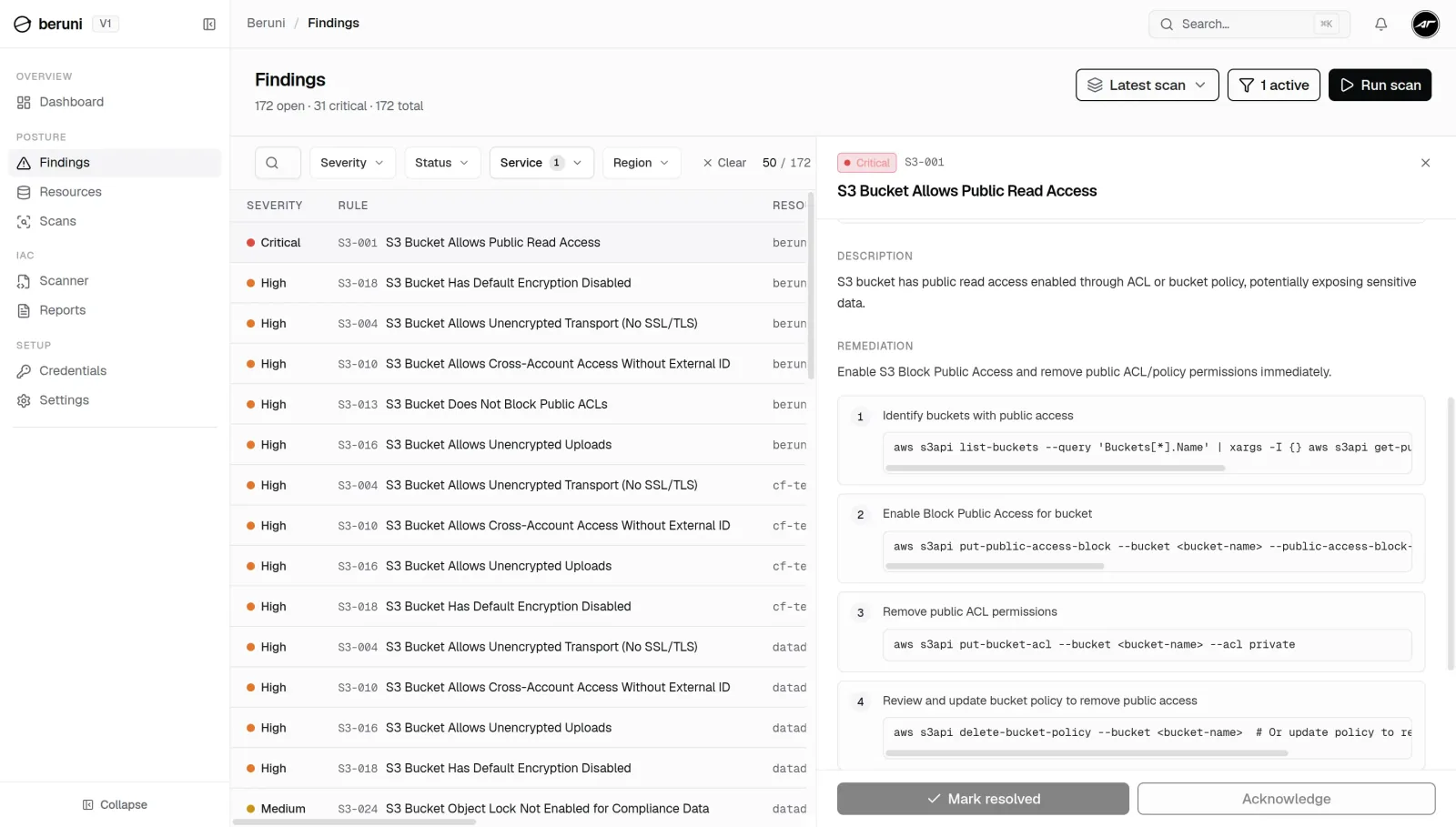
Check it:
aws s3api get-public-access-block --bucket your-bucket-nameIf this errors out or shows any setting as false, the bucket can be made public.
Fix it:
aws s3api put-public-access-block \
  --bucket your-bucket-name \
  --public-access-block-configuration \
  BlockPublicAcls=true,IgnorePublicAcls=true,BlockPublicPolicy=true,RestrictPublicBuckets=true
Apply the same setting at the account level so new buckets inherit it automatically:
aws s3control put-public-access-block \
  --account-id 123456789012 \
  --public-access-block-configuration \
  BlockPublicAcls=true,IgnorePublicAcls=true,BlockPublicPolicy=true,RestrictPublicBuckets=true
2. S3 buckets with no server-side encryption
The issue: Objects in the bucket are stored as plaintext on disk. Encryption doesn't stop unauthorized access. It determines how much damage that access does.
Who this affects: Teams storing PII, financial records, credentials, or anything covered by PCI DSS or GDPR.
The Booz Allen Hamilton leak is the clearest example of why this matters. The firm left a bucket of more than 60,000 files related to the Department of Defense publicly accessible. The data was stored in plaintext, with no encryption at all, including SSH keys and credentials granting administrative access to government systems. Public access was the first failure. No encryption is what turned it into a worst-case scenario.
Check it:
aws s3api get-bucket-encryption --bucket your-bucket-nameFix it:
aws s3api put-bucket-encryption \
  --bucket your-bucket-name \
  --server-side-encryption-configuration '{
    "Rules": [{
      "ApplyServerSideEncryptionByDefault": {
        "SSEAlgorithm": "aws:kms"
      },
      "BucketKeyEnabled": true
    }]
  }'
Use aws:kms, not AES256. KMS-backed encryption with a key policy you control closes off the attack path used in the January 2025 Codefinger campaign, where attackers used compromised AWS keys to re-encrypt victims' S3 objects with a key only they held, then demanded ransom for it. If the key is yours, that attack doesn't work.
3. S3 buckets allowing unencrypted transport
The issue: The bucket is private, but it still accepts plaintext HTTP connections: from inside your VPC, from misconfigured clients, or from anyone who finds a way to connect over HTTP instead of HTTPS.
Who this affects: Anyone working toward PCI DSS or GDPR compliance, both of which expect data in transit to be encrypted.
This is a quieter risk than #1 and #2, but it's one of the easiest compliance gaps to close: a single bucket policy statement.
Fix it:
aws s3api put-bucket-policy \
  --bucket your-bucket-name \
  --policy '{
    "Version": "2012-10-17",
    "Statement": [{
      "Sid": "DenyInsecureTransport",
      "Effect": "Deny",
      "Principal": "*",
      "Action": "s3:*",
      "Resource": ["arn:aws:s3:::your-bucket-name", "arn:aws:s3:::your-bucket-name/*"],
      "Condition": { "Bool": { "aws:SecureTransport": "false" } }
    }]
  }'
4. IAM roles with Action: "*" permissions
The issue: A role's policy grants "Action": "*" (every action on every resource) when the role only ever uses a handful of specific permissions.
Who this affects: Every account with CI/CD pipelines, Lambda functions, or EC2 instance roles that were set up quickly and never revisited.
Of everything on this list, this is the misconfiguration most likely to turn a small incident into a full account takeover. Cloud misconfiguration was the initial attack vector in 11% of breaches in IBM's 2023 Cost of a Data Breach Report, and over-permissioned IAM is what turns that initial foothold into a wide one.
Check it:
aws iam list-policies --scope Local --query \
  'Policies[*].[PolicyName,Arn]' --output table
Then pull each policy document and look for "Action": "*":
aws iam get-policy-version \
  --policy-arn arn:aws:iam::123456789012:policy/YourPolicy \
  --version-id v1 --query 'PolicyVersion.Document'
Fix it: Generate a least-privilege policy from actual CloudTrail activity using IAM Access Analyzer:
aws accessanalyzer start-policy-generation \
  --policy-generation-details '{"principalArn":"arn:aws:iam::123456789012:role/YourRole"}' \
  --cloud-trail-details '{
    "trails": [{"cloudTrailArn":"arn:aws:cloudtrail:us-east-1:123456789012:trail/YourTrail","allRegions":true}],
    "accessRole":"arn:aws:iam::123456789012:role/AccessAnalyzerRole",
    "startTime":"2025-01-01T00:00:00Z"
  }'
Swap the generated policy in with put-role-policy, then remove the wildcard policy with detach-role-policy.
5. IAM roles with overly permissive trust policies
The issue: A role's trust policy allows it to be assumed by "*", or by an AWS principal with no Condition restricting who can assume it, meaning anyone who can guess the role name can potentially become that role.
Who this affects: Any account with cross-account roles, third-party integrations, or roles set up for a vendor that's no longer in use.
This one is sneaky because reviewing what a role can do won't catch it; you have to check who can become that role. Unit 42 researchers showed that an overly permissive trust policy can let an unauthenticated user anonymously assume an internal role. Scanning public GitHub repositories, they found exactly this misconfiguration at a US pharmaceutical company and a Brazilian financial firm, both billion-dollar organizations, both reachable by pairing a leaked account ID with a guessed role name.
Check it:
aws iam get-role --role-name YourRoleName --query 'Role.AssumeRolePolicyDocument'Look for "Principal": "*" or an AWS principal with no Condition block.
Fix it: Require an ExternalId on every cross-account trust relationship. This single condition prevents the "confused deputy" problem entirely:
aws iam update-assume-role-policy \
  --role-name YourRoleName \
  --policy-document '{
    "Version": "2012-10-17",
    "Statement": [{
      "Effect": "Allow",
      "Principal": {"AWS": "arn:aws:iam::SCANNER_ACCOUNT_ID:role/ScannerRole"},
      "Action": "sts:AssumeRole",
      "Condition": {"StringEquals": {"sts:ExternalId": "your-unique-external-id"}}
    }]
  }'
6. EC2 security groups allowing SSH from anywhere
The issue: A security group allows inbound traffic on port 22 from 0.0.0.0/0, meaning any IP address on the internet can attempt an SSH connection.
Who this affects: Any EC2 instance that was launched quickly, especially during prototyping, and never had its security group tightened.
This is the oldest misconfiguration on this list, and one of the most common. AWS Security Hub flags it directly: control EC2.13 fails a security group that allows ingress from 0.0.0.0/0 or ::/0 to port 22.
The risk isn't theoretical. Open port 22 lets attackers brute-force their way into the system, and automated scanners probe the entire IPv4 address space for open SSH ports within minutes of a new instance going live.
Check it:
aws ec2 describe-security-groups \
  --filters "Name=ip-permission.from-port,Values=22" \
            "Name=ip-permission.cidr,Values=0.0.0.0/0" \
  --query 'SecurityGroups[*].[GroupId,GroupName]'
Fix it: Remove the open rule and replace it with a specific CIDR, or better yet, reference another security group, like a bastion host:
aws ec2 revoke-security-group-ingress \
  --group-id sg-0123456789abcdef0 \
  --protocol tcp --port 22 --cidr 0.0.0.0/0

aws ec2 authorize-security-group-ingress \
  --group-id sg-0123456789abcdef0 \
  --protocol tcp --port 22 \
  --cidr 203.0.113.0/24
7. EC2 instances with unencrypted EBS volumes
The issue: The instance's root or attached EBS volume has no encryption. If someone gets shell access (or just snapshots the volume), they can read everything on disk.
Who this affects: Almost always paired with #6. If SSH is open and the volume is unencrypted, both problems compound each other.
Check it:
aws ec2 describe-volumes \
  --filters "Name=encrypted,Values=false" \
  --query 'Volumes[*].[VolumeId,Size,Attachments[0].InstanceId]'
Fix it: AWS doesn't support in-place encryption, so new volumes need encryption enabled by default. This setting is per-region, so run it in every region you deploy to:
aws ec2 enable-ebs-encryption-by-default --region us-east-1For existing volumes: snapshot, copy the snapshot with encryption enabled, create a new volume from the encrypted snapshot, and swap it in during a maintenance window.
8. The default VPC security group allowing all traffic
The issue: Every VPC ships with a default security group that allows all inbound traffic from members of the same group and all outbound traffic to anywhere. Any resource launched without an explicit security group inherits these wide-open defaults.
Who this affects: Auto-scaling groups, quick console launches, and any resource where "just use the default" felt like the fast option.
The CIS AWS Foundations Benchmark requires that the default security group restrict all traffic: control 5.4 in the current benchmark versions (1.5.0 through 3.0.0), surfaced in AWS Security Hub as EC2.2. The recommended fix is to remove all inbound and outbound rules from the default security group in every VPC, and never attach it to any resource.
The reason this matters is the open egress. We regularly see the same pattern: an attacker who lands on an instance with unrestricted outbound rules can quietly exfiltrate data (DNS tunneling is a common channel precisely because it often slips past detection) and reach the internet to stage tools or open a reverse shell. Tight ingress without tight egress only solves half the problem.
Check it:
aws ec2 describe-security-groups \
  --filters "Name=group-name,Values=default" \
  --query 'SecurityGroups[*].[GroupId,VpcId,IpPermissions,IpPermissionsEgress]'
Fix it:
aws ec2 revoke-security-group-ingress --group-id sg-xxxxxxxx --protocol -1 --port -1 --source-group sg-xxxxxxxx
aws ec2 revoke-security-group-egress  --group-id sg-xxxxxxxx --protocol -1 --port -1 --cidr 0.0.0.0/0
9. RDS instances deployed in public subnets
The issue: The database instance sits in a subnet with a route to an internet gateway, making it directly reachable from outside the VPC.
Who this affects: Accounts where the default VPC's subnets are all public, and the database was never moved after the environment grew past a prototype.
A public subnet on its own is bad. Combined with an open security group, it's the real exposure: an unrestricted rule allowing inbound traffic from 0.0.0.0/0 on port 3306 or 5432 effectively opens the database to the entire internet. A strong password alone is not enough protection against this configuration.
Check it:
aws rds describe-db-instances \
  --query 'DBInstances[*].[DBInstanceIdentifier,PubliclyAccessible,DBSubnetGroup.VpcId]'
Fix it:
aws rds modify-db-instance \
  --db-instance-identifier your-db-instance \
  --no-publicly-accessible \
  --apply-immediately
Then move the instance to a private subnet by updating its DB subnet group to reference only subnets without a route to an internet gateway.
10. RDS snapshots shared publicly or stored unencrypted
The issue: A database snapshot has its restore attribute set to all, meaning anyone with an AWS account, not just people in your organization, can access it.
Who this affects: Often invisible to the team that owns the database, because snapshots get created and shared by a different team for migrations, vendor handoffs, or analytics exports.
Check it:
aws rds describe-db-snapshot-attributes \
  --db-snapshot-identifier your-snapshot-id \
  --query 'DBSnapshotAttributesResult.DBSnapshotAttributes'
If restore includes all, the snapshot is public.
Fix it:
aws rds modify-db-snapshot-attribute \
  --db-snapshot-identifier your-snapshot-id \
  --attribute-name restore \
  --values-to-remove all
Check encryption on every snapshot:
aws rds describe-db-snapshots \
  --query 'DBSnapshots[*].[DBSnapshotIdentifier,Encrypted]'
Unencrypted snapshots can't be encrypted in place. Copy with aws rds copy-db-snapshot and --kms-key-id, verify the copy, then delete the original.
Frequently asked questions
What is the most common AWS misconfiguration?
The most common AWS misconfiguration is a public S3 bucket: specifically, a bucket where the Block Public Access setting was never enabled. This single issue has been behind some of the largest data exposures in AWS history, including the 2017 Deep Root Analytics leak that exposed personal data on 198 million US voters.
Which AWS services are most often misconfigured?
IAM, S3, EC2, VPC, and RDS account for the large majority of misconfiguration findings and of published AWS breach reports. These five cover identity, storage, compute, network, and database (the core attack surface of almost any AWS account), which is why cloud security posture management (CSPM) tools check them first.
Can AWS misconfigurations be fixed without downtime?
Yes, in almost every case. Enabling Block Public Access, turning on encryption defaults, tightening security group rules, scoping IAM policies, and changing snapshot attributes are all non-disruptive. The one exception is encrypting an existing EBS volume, which requires a snapshot-copy-swap during a maintenance window.
How often should an AWS account be scanned for misconfigurations?
At minimum, scan after any infrastructure change: new services, new environments, or new team members with deploy access. Because most misconfigurations are introduced gradually and discovered late, a recurring scan (weekly or on every deploy) catches issues before they sit unnoticed for months or years.
Do I need a security team to fix AWS misconfigurations?
No. Every fix in this post is one or two AWS CLI commands that an engineer can run directly. The hard part isn't fixing the issue; it's knowing the issue exists. That's the gap a read-only scan across IAM, S3, EC2, VPC, and RDS is built to close.
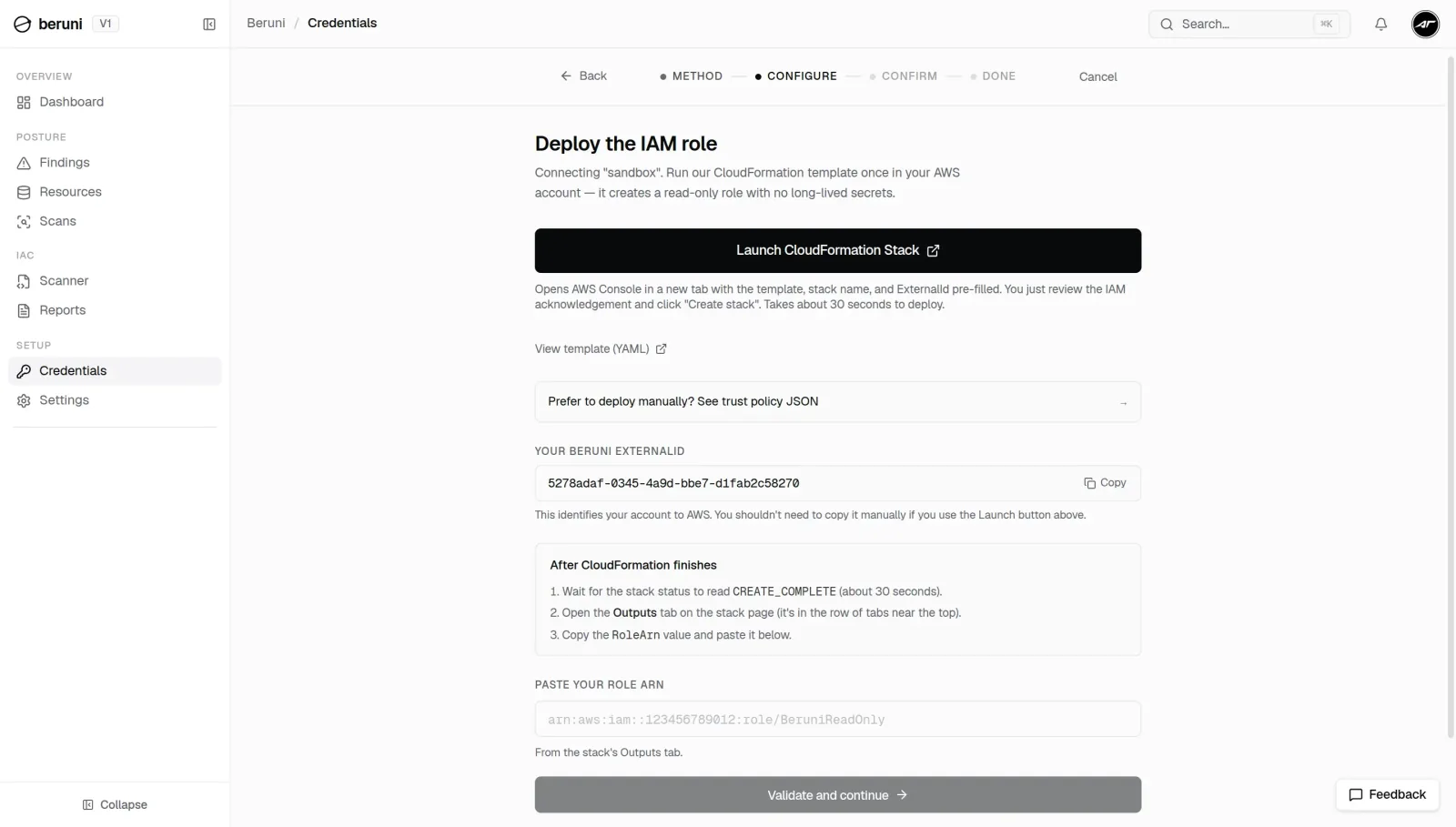
This is the first in a series covering the AWS misconfigurations we encounter most often. Beruni runs a read-only scan across IAM, S3, EC2, VPC, and RDS (the same five services covered in this post) against CIS, FSBP, PCI, and GDPR controls, in about a minute. Ask for an invite.